
Table of contents
Table of contents
- Auditor report
- Patch, search, and deploy report
- Timesheet report
- Tech comparison report
Generate summary with AI

You can work as hard as the proverbial ox, but if you can’t translate that value to your end users or to the management team within the IT framework, you may as well be at home finishing off the new season of The Crown on Netflix.
At Atera, our robust reporting system helps you to customize and create the exact reports you need, whether you’re an MSP highlighting your value to a new customer, a manager helping to boost morale across technicians, or IT professionals looking to quickly and easily add value across the business.
Here’s how it’s done with four of our most popular reports!
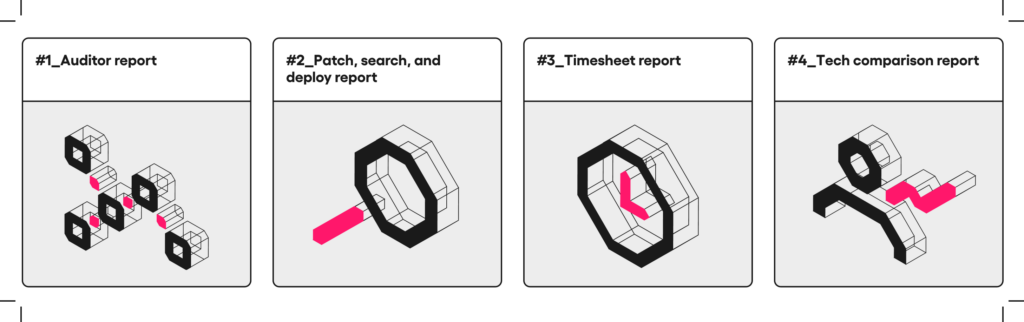
Auditor report
Right out the gate with one of our most commonly used reports, the auditor report is a comprehensive list of what’s going on in the organization. MSPs can send this to their customers, and internal IT can send it up the ladder to their managers, for a bird’s eye view of the whole kit and caboodle, ad-hoc, or scheduled ahead of time. You can view general inventory, software inventory, workstation, server, and Mac distribution, antivirus distribution, and ever-changing information such as disk usage.
One really useful element of the auditor report is the alerts section, which highlights any issues with the health of devices. This report can be exported by Excel and PDF, giving you flexibility over how you share this crucial information.
Top use case: We often hear from MSP customers that it’s hard to show value when you move to a retainer contract. On the one hand, you want everything to run smoothly without any issues, but on the other hand, if nothing goes wrong, customers wonder what they are paying you for! The auditor report is a great way to show a customer or a manager everything you’re working hard to monitor and manage, including the alerts you solve on a daily or weekly basis.
Patch, search, and deploy report
Patch, search, and deploy is an internal report that makes it easy to quickly scan and find unpatched devices in any environment. You can search by patches installed or those not installed, or see them all together in a single view. Then, filter by specific customers, device types, or granular details such as KBs, descriptions, or class. Where patches are missing, you can even patch them directly from the report.
Patch, search, and deploy is often used to fine-tune IT automation profiles. For example, if you see that a certain type of device is missing a software patch, you can head back to the IT automation profile and add it to the mix. The more you check the patch, search and deploy report and then tweak your profiles, the more you can automate, and the less time you’re spending manually handling patch management.
Top use case: As well as making your patch management more efficient and secure, we’ve heard from customers that they often use this report to quickly react to external information. For example, they may know of a specific KB that is causing a widespread error in patched devices. By searching by this KB, they can immediately identify which devices have been impacted, and act accordingly.
Timesheet report
Whether you’re channeling Scrooge McDuck, or you’re in it for the love of troubleshooting network errors, in a business it all comes down to the financials eventually. The timesheet report is the only report in Atera that shows you all tickets across your whole environment in a single place.
Check out the handy customization options on your left, including the ability to search by custom fields such as specific projects, round the billing amounts for all tickets, and include ticket rates and quantities if you choose. Remember, if you choose “all tickets”, you’ll also see those that aren’t ready for billing yet.
Using the timesheet report, you can see how much time has been spent on any specific project, customer, or even device, allowing you to have strategic conversations about which accounts are profitable as an MSP. Keep track of the workload for various customers and technicians, as well as track your billable hours and revenue for any given period of time.
Top use case: While this report can only be sent directly to technicians from inside Atera, why not export it via Excel or PDF and send it to your MSP customers? We’ve seen users open up great data-driven conversations about moving from Break/Fix to retainer agreements by presenting the timesheet report over their environment, and explaining how customers could save money by moving to managed services.
Tech comparison report
How are your technicians doing? You can call across the office and receive a grunt, or a thumbs up, or you can check out the data behind their workload and their actions. As a manager or a senior-level employee, being able to see at a glance the metrics which matter is really powerful.
The technician comparison report provides an overview of any technician’s performance, looking at their average close time, their time to first response, how many tickets they have been assigned, and how many were closed, or even reopened. You can also view the average work time that they spend on a ticket.
As well as drilling down into a single employee, you can use the technician comparison report to do exactly what it says on the tin – compare different technicians across teams or across the organization. This can help you identify issues such as:
- Which customers are working well with which technicians?
- Is technician performance flagging due to burnout?
- Which technicians need more significant support or internal training?
Top use case: We love hearing how our customers use our reports to improve their internal processes and performance, and technician comparison is a popular one! Why not try sending technicians their individual reports over time, highlighting or rewarding improvements such as a quicker first response time? You can export it easily via Excel and PDF, and schedule it ahead of time for ease of workload.
Don’t forget! These are just four of our favorite reports which come out of the box with Atera, we have dozens more available from inside the platform, plus more in-depth reporting capabilities available for higher-tier subscriptions!
Want to learn more about any of our reports? Check out our knowledge base for answers to any question you could think of!
Related Articles

IT Autopilot is now Robin by Atera and is on a mission to let people work
We’re introducing a new chapter for Atera. IT Autopilot is becoming Robin by Atera, and we’re putting a stake in the ground with a simple belief: technology should remove friction, not create it. With our new campaign, Let People Work, we’re doubling down on a future where AI doesn’t just assist IT teams, but actively resolves issues, clears operational noise, and gives people the freedom to focus on the work that actually matters.
Read now
Say goodbye to passwords: how passkeys are securing the future of Atera
Stop fighting passwords and start securing your future. Atera’s newly launched passkey authentication brings you phishing-proof, FIDO2-standard security with the speed of a fingerprint scan. Eliminate login friction, bypass MFA hurdles, and protect your command center with lightning-fast, biometric access that’s officially live and ready for your team.
Read now
Atera named a Visionary in the Gartner® Magic Quadrant™ for Endpoint Management Tools
This recognition is not about a single product release or moment in time. It reflects years of bold decisions, long-term thinking, and an unwavering focus on our customers and partners.
Read now
Atera was named one of the 10 hottest AI tools of 2025
The future of IT isn’t reactive, it’s autonomous. Atera’s award-winning AI platform is proving what happens when AI becomes a real partner, not just a tool.
Read nowEndless IT possibilities
Boost your productivity with Atera’s intuitive, centralized all-in-one platform













