
Table of contents
Generate summary with AI

Auvik is a strong network management tool, but users say the configuration process is difficult, support has declined, and the sales reps are being pushy. Plus, a few Auvik alternatives offer more advanced AI technologies, like Agentic AI.
Whether you’re already an Auvik user or simply looking for the best alternatives, our article can help.
Below, we’ve reviewed the best Auvik alternatives, along with their key features, pricing, and customer reviews. After we review the alternatives, let’s quickly look at what Auvik is and its strengths and limitations.
The 7 best Auvik alternatives for 2026
Below is a detailed review of each of these.
1. Atera

Atera vs. Auvik: Key differences
1. Key features: Atera integrates all key IT management functions into one platform, including RMM software, helpdesk system, patch management, remote access, third-party integration, and Agentic AI at the core of it all.
In comparison, Auvik’s key features include network monitoring, network discovery and topology mapping, real-time alerts, and traffic analysis.
2. Agentic AI: Atera is transforming IT management with the world’s first Autonomous IT platform, powered by a digital workforce of AI agents. Our autonomous IT agents tackle manual and repetitive tasks fully autonomously, completely transforming how IT operations are managed.
Due to the impact our AI agents have already had on organizations, G2 selected Atera as the #1 best AIOps tool for 2026.
Looking into G2’s comparison graph, Atera is clearly leading the AIOps market:
3: Pricing plans: At Atera, we’re big advocates of transparent pricing. Our RMM pricing plan is based on pay-per-technician, which means you can manage unlimited devices for a fixed monthly fee. Auvik’s pricing plans are based on a custom quotation, and users say their sales team is “pushy” after the free trial period.
4. Customer support: Atera offers 24/7 live chat and email support for all of its users, which means you’ll always get help if you need it. Unfortunately, many users say the level of support for Auvik has declined over the past years.
1. Features and capabilities
Of all Auvik alternatives, only Atera incorporates true Agentic AI technology through its AI agents, which are capable of eliminating up to 40% of your IT workload.
Atera’s Robin handles up to 80% of your first-tier support by interacting with users on channels they already live in, whether its Slack, email, Teams, or your Customer Portal.
Autopilot doesn’t just respond to user queries; it’s capable of resolving actual issues, such as resetting passwords, troubleshooting network or device errors, installing software updates, and even detecting security risks before they impact your operations.

All of this means that end-users are empowered to self-solve IT issues, freeing up your techs to focus on more strategic and exciting tasks.
For more complex issues that require a human technician, Autopilot escalates them to a human technician with a full context of the problem.
Atera’s AI Copilot is our second AI agent that works alongside technicians, expanding their human expertise and capabilities.
Copilot is your go-to IT companion for:
- Running health checks, diagnosing, and resolving issues on macOS and Windows devices
- Getting instant ticket summaries and response suggestions based on your preferred tone
- Asking anything about your IT environment through account intelligence insights
- Getting automatic remote session summaries with an itemized list of key points
- Generating scripts, OIDs, and CLI commands
- Turning tickets into ready-to-use KB articles
Copilot’s capabilities are spread across Atera’s entire platform, and it helps with all parts of IT management.
Together with Autopilot, our two AI agents help resolve issues 24/7 around the clock and provide continuous support without requiring additional staffing.
2. User interface and usability
Atera’s intuitive dashboards are fully customizable, and the baseline product has a low entry barrier and fast time-to-use. In other words, you will find it easy to learn and benefit from our product. Atera allows you to access all the data you need in just a few clicks.
Here’s a look at Atera’s admin dashboard view:

If you ever face issues navigating through, you can always contact our 24/7 customer support or get help through our extensive knowledge base.
3. Pricing and value for money
While enterprises can request a custom quotation, Atera’s standard IT department pricing plans range from $149 to $219 per month, and our MSP pricing plans range from $129 to $209 per month.

Here are Atera’s pricing plans laid out:
Atera pricing plans for IT departments:
- Professional: $149 per month, per technician
- Expert: $189 per month, per technician
- Master: $219 per month, per technician
- Enterprise: Custom quotation; contact sales to get pricing
- Pro: $129 per month, per technician
- Growth: $179 per month, per technician
- Power: $209 per month, per technician
- Superpower (Enterprise): Custom quotation; contact sales to get pricing
4. Customer reviews and ratings
Atera’s G2 Rating: 4.6 out of 5 stars (830+ reviews)
What Atera users are saying on G2:
- “What I love most about Atera is its ease of use. The interface is clean, which makes it easy to monitor devices, run scripts, manage tickets, and support clients, all from one dashboard,” a G2 user says.
- “Atera can monitor our network devices, servers, and other SNMP-based devices and supports Windows, Linux, and macOS operating systems,” a G2 user says.
Atera’s Capterra Rating: 4.6 out of 5 stars (440+ reviews)
What Atera users are saying on Capterra:
- “Excellent scripting capabilities with their AI assistant. Great community script library. Excellent remote desktop functionality,” a Capterra user says.
- “Atera Copilot is amazing! It helps you solve an issue and create a knowledge base for it to reference in future problems, saving so much time,” a Capterra user says.
2. ManageEngine OpManager

ManageEngine OpManager is an IT management tool for monitoring workstations, routers, switches, and other network devices. It provides visibility into each device’s health, availability, and performance, enabling quick issue resolution and smooth network operation. If you’re exploring ManageEngine alternatives, consider platforms that offer AI-powered automation and unified IT management for greater efficiency.
OpManager integrates with other ManageEngine products for more functionality, although this comes at an additional cost. Using an all-in-one tool, like Atera, may be more beneficial for organizations that want all key features under one platform, one subscription.
G2 Rating: 4.4 out of 5.0 stars (100+ reviews)
Capterra Rating: 4.6 out of 5.0 stars (100+ reviews)
ManageEngine OpManager Pricing:
- Custom quotation. Contact ManageEngine’s sales team for pricing options.
3. Domotz

Domotz’s core functionality is network monitoring. It automatically discovers new devices on your network, monitors them to identify issues, diagnoses network issues, and lets you remotely access them for troubleshooting.
With a full focus on network monitoring, Domotz misses some other key IT management features, but it integrates with Atera for that purpose. Atera expands the network monitoring capabilities with industry-leading RMM software, Agentic AI, ticketing, and more.
G2 Rating: 4.8 out of 5.0 (80+ reviews)
Capterra Rating: 4.9 out of 5.0 (100+ reviews)
Domotz Pricing:
- Enterprise: Starting at $1,000 per month
- Pro: $35 per month per site
4. Datadog

Datadog is used by engineering teams that need to maintain and secure their cloud or hybrid environments. You get access to key infrastructure metrics, such as CPU and memory usage, network traffic, disk performance, and application-level telemetry. You can deploy Datadog in on-premise, hybrid, IoT, or multi-cloud environments.
G2 reviewers say that “Datadog gets expensive fast if you’re not careful what you ingest.” Alternatives, like Atera, offer pay-per-technician pricing, which is more cost-effective for most IT teams as the price doesn’t increase as you add more endpoints.
G2 Rating: 4.4 out of 5.0 stars (600+ reviews)
Capterra Rating: 4.6 out of 5.0 stars (300+ reviews)
Datadog Pricing:
- Free: Free for up to 5 hosts (1-day metric retention)
- Pro: $15 per host, per month (billed annually)
- Enterprise: $23 per host, per month (billed annually)
5. Paessler PRTG
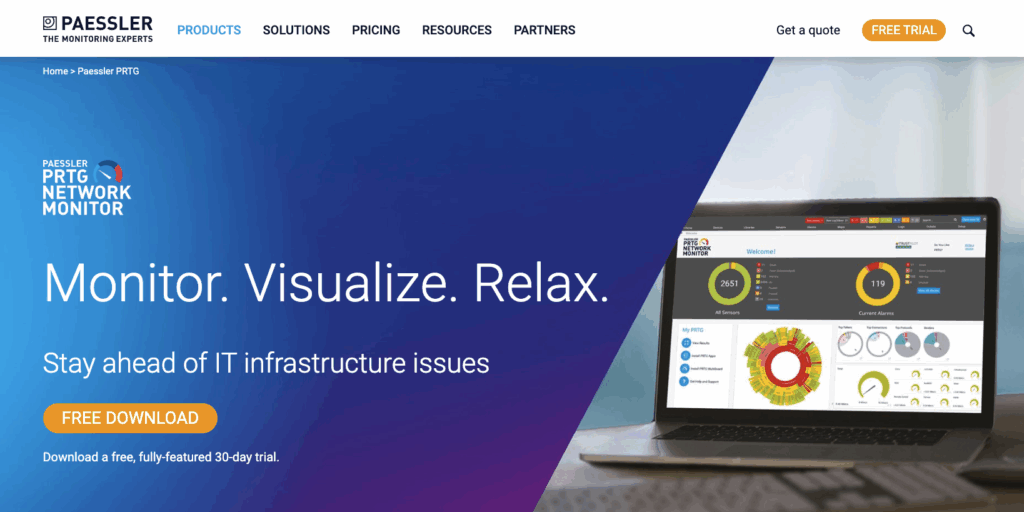
Like Datadog, Paessler PRTG’s core functionality is monitoring all the systems, devices, applications, and traffic in your IT infrastructure. You can visualize your network the way you need, access real-time maps, and create dashboards to track performance trends. PRTG has a web interface, desktop app, and iOS and Android mobile apps available.
For IT teams looking for an all-in-one solution that goes beyond monitoring, Atera combines network visibility with powerful automation, AI-powered insights, and remote management, making it a leading choice for enterprises looking for a Paessler alternative.
G2 Rating: 4.6 out of 5.0 stars (100+ reviews)
Capterra Rating: 4.6 out of 5.0 stars (250+ reviews)
Paessler PRTG Pricing:
- PRTG 500: $137/month for about 50 devices
- RTG 1000: $242/month for about 100 devices
- PRTG 2500: $508/month for about 250 devices
- PRTG 5000: $908/month for about 500 devices
- PRTG 10000: $1,225/month for about 1,000 devices
6. Zabbix
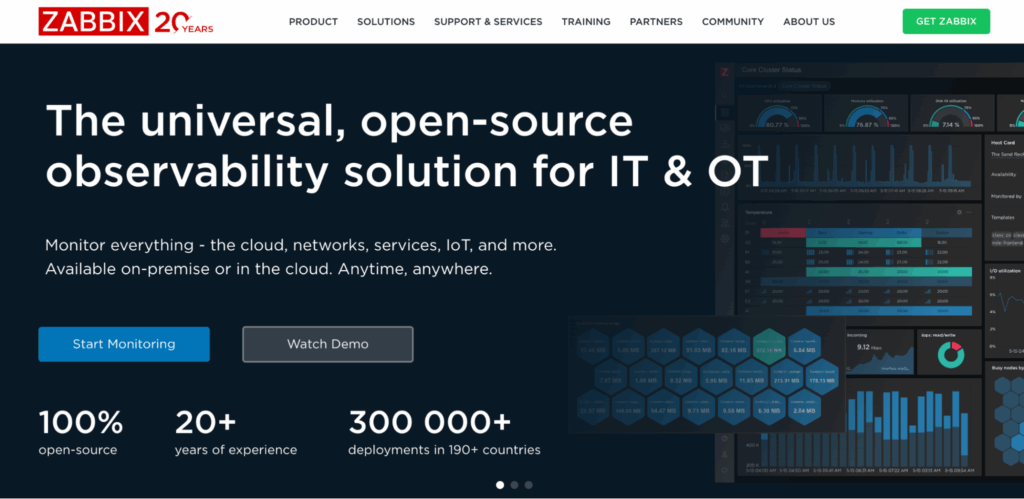
If you’re looking for an open-source infrastructure monitoring software, Zabbix is one of the options. It lets you monitor anything, from network devices and servers to applications and cloud services.
Although Zabbix is technically free, its hosting, maintenance, security, and customer support fees can add up. With cloud solutions, including Atera, all of these fees are included, plus you get access to powerful automation and Agentic AI technology, which can lead to even higher cost savings.
G2 Rating: 4.3 out of 5.0 stars (190+ reviews)
Capterra Rating: 4.7 out of 5.0 stars (90+ reviews)
Zabbix Pricing:
- Zabbix pricing is based on a custom quotation. Request pricing from their sales team.
7. LogicMonitor

LogicMonitor helps to get real-time visibility into your network devices, servers, cloud resources, and applications. Upon onboarding, it automatically discovers your devices and you can access devices for troubleshooting.
Like Atera, LogicMonitor has made a mark in the AIOps market with its AI assistant. While LogicMonitor’s AI assistant mainly works in incident resolution, Atera’s AI agents expand to all areas of IT management, including incident resolution, ticket automation, script generation, proactive device maintenance, and more.
G2 Rating: 4.5 out of 5.0 stars (600+ reviews)
Capterra Rating: 4.6 out of 5.0 stars (100+ reviews)
LogicMonitor Pricing:
- Infrastructure monitoring: Starting from $22/month, per resource
- Cloud IaaS monitoring: Starting from $22/month, per resource
The only Auvik alternative with Agentic AI technology
While many Auvik alternatives have the same core functionality (infrastructure monitoring), only Atera incorporates a true Agentic AI technology into its platform, completely transforming how organizations operate in the modern world.
Instead of manually performing network monitoring tasks, Atera’s AI agents proactively detect and resolve issues and handle routine support tasks without human intervention.
Our AI agents aren’t about automation; they’re transforming how IT operations are managed. Instead of shying away from them, embrace them and bring your organization into the modern age with Atera.
Interested in learning more? Get in touch with our sales team today to discuss your needs further. Or, get started with Atera’s 30-day free trial today; no credit card required!
What is Auvik?
Auvik is a network management tool that offers visibility and control of network infrastructure, such as firewalls, routers, access points, workstations, and switches. Features like network topology mapping, real-time monitoring, and network alerting make this possible.
Why look for an Auvik alternative?
After reviewing Auvik reviews from G2, Capterra, Reddit, and Gartner, we quickly found that the platform’s main limitations are difficult configuration, poor support, and a pushy sales team.
This is what users said:
The configuration process is seen as hard
Auvik is capable of a lot, but in their case, it comes with a steep learning curve.
In fact, “Learning Curve” and “Setup Difficulty” are the two main cons of Auvik on G2:
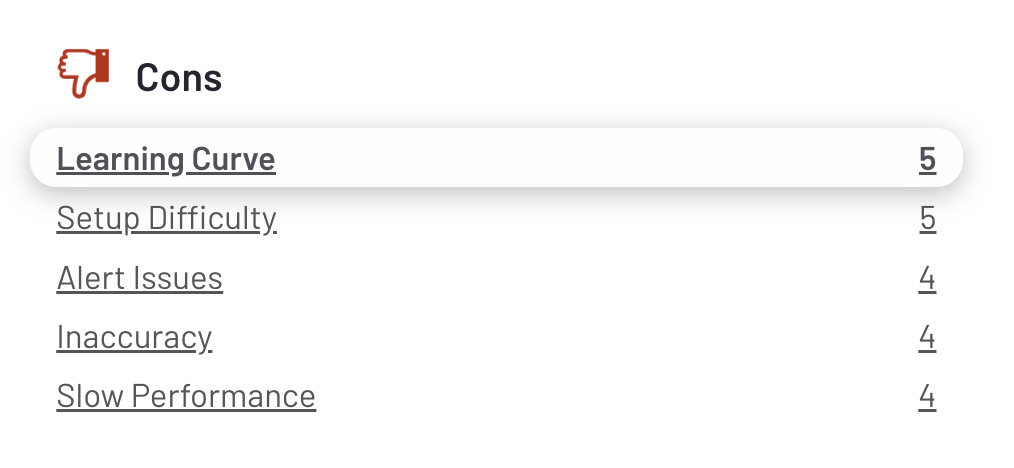
One G2 user commented on Auvik’s learning curve and said, “Auvik’s configuration is cumbersome and requires a lot of skill to master.”
Another user said simply, “It takes a LOT of simple work to set up.”

The sales team is seen as pushy
Many users agree that after signing up for Auvik’s free trial, their team will start sending a batch of messages after the trial ends.
This is what the Reddit user said, which many Auvik users agreed to:
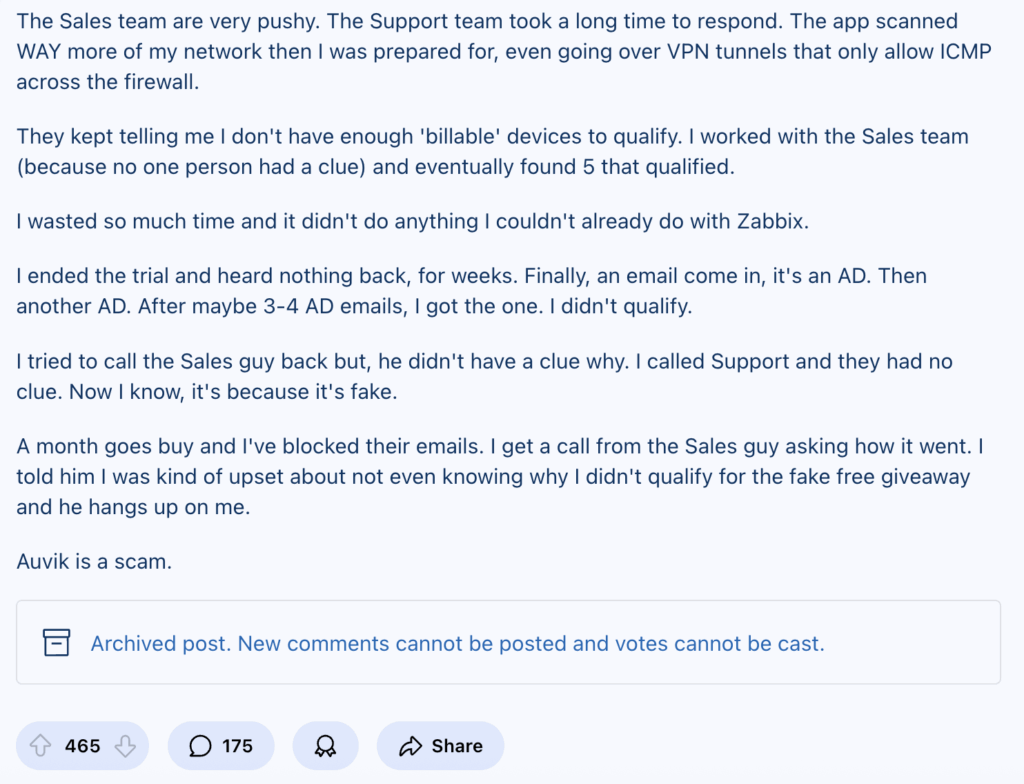
Another Reddit user commented on this and said, “We briefly flirted with buying Auvik a few years back, but the very pushy salesperson scared us off.”
Another user on Reddit even said, “receiving 72 emails from them” after cancelling the trial.”
The customer support has declined
Users say that Auvik’s support was good in the past, but has declined over the years.
One user mentioned using Auvik for 10 years, but in recent years, the support has “turned into a joke.”
He continued by saying, “This kind of support is unacceptable. We rely on tools like this. If they can’t even clean up their data or respond to tickets, what exactly are we paying for?”
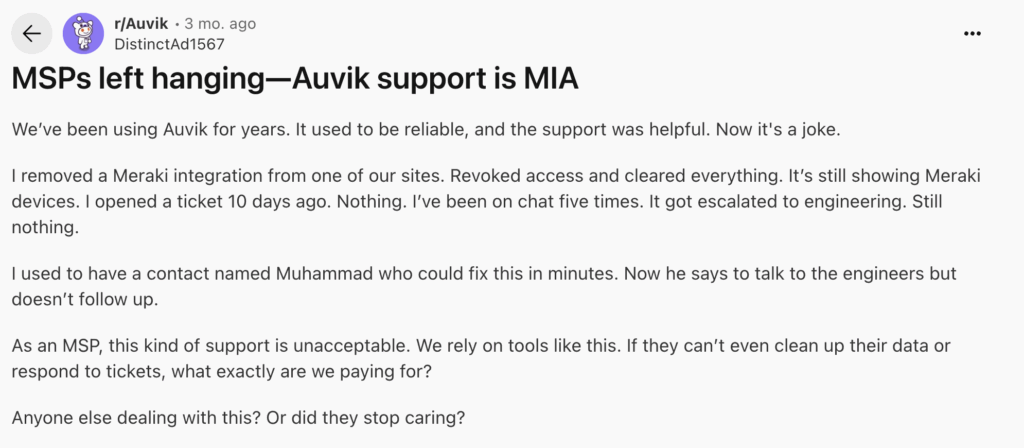
As you look for an Auvik alternative, make sure the platform has 24/7 support, which makes sure support is available at all times.
What are Auvik’s strengths?
We shared Auvik’s limitations, but what are the strengths?
This is what Auvik users have said:
Network monitoring features
Auvik’s core functionality is network monitoring, which it excels at. One G2 user commented on it and said, “Auvik makes it easy to supervise devices, traffic, and performance figures in a control panel.”
Third-party integrations
Auvik has extensive third-party integrations, which help to extend the platform’s functionality. For example, integrations with Atera, Acronis, Microsoft Entra ID, Cisco, and CloudRadial are available.
Auvik pros and cons: Takeaways
To summarize the two previous sections, we’ve summarized the pros and cons of Auvik below:
The pros:
- Auvik excels at monitoring network devices, such as routers and switches
- The third-party integrations are extensive
The cons:
- Auvik’s configuration process is “cumbersome,” and it takes a long time to get used to
- There have been limited AI advancements in Auvik’s platform
- Auvik’s sales team is known to be pushy
- The customer support has declined
Related Articles

The 7 Best Patch My PC Alternatives in 2026
Discover the best Patch My PC alternatives. Compare them across pricing, features, AI, and user reviews. See which option works best for your organization.
Read now
The 7 Best Rev.io Alternatives Your IT Team Can Use In 2026
Learn about the best Rev.io alternatives that modern IT teams use. See how they compare across features, pricing, user reviews, and AI.
Read now
Top 7 Aisera Alternatives for 2026
Learn about the best Aisera alternatives. See how they differ across features, Agentic AI, pricing, and user reviews.
Read now
7 Best Autotask PSA Alternatives for 2026
Find out the best Datto Autotask PSA alternatives. See how they compare across features, pricing, user reviews, and Agentic AI.
Read nowEndless IT possibilities
Boost your productivity with Atera’s intuitive, centralized all-in-one platform













